

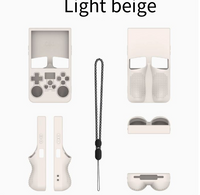


🎮 Did you know the Retrovi Edition has hidden features?
Here's what you need to know to get started in 60 seconds:
▶ Turn on / off
• Press and hold the power button for 2–3s to turn it on.
• Press and hold for 3–5s to open the menu and turn it off.
• If it doesn't respond, hold it for 10s to force shutdown.
▶ Move and play
• Use the D-Pad (or the -> +) to navigate menus.
• The joystick works in games that support it.
• A / B / X / Y are the action buttons (jump, accept, cancel).
• Start pauses the game. Select opens quick options.
▶ Ports and charging
• Charge via USB-C (5V/2A recommended).
• Insert your microSD with ROMs organized by console/emulator.
• If it has a 3.5 mm jack, you can use headphones.
▶ Useful tricks
• Start + Select: shortcut to reset or save state in many emulators.
• L + R when turning on: some models enter recovery mode.
• Short press of the power button = sleep mode (depending on firmware).
▶ Practical tips
• Charge when it's at 20–30% to preserve battery life.
• If it freezes: try removing and reinserting the microSD or reinstalling the system.


